W/003
/
Industrial software
← All work
Industrial software · C++ · Windows desktop · 2016–2023

KBK: from a door drawing to the quote, order and production

KBK is industrial software owned by Stålprofil AB. Spot Software took part in its development together with Stålprofil's in-house development team. Arnela Glavović started the collaboration, and another developer from Spot Software later joined the project.

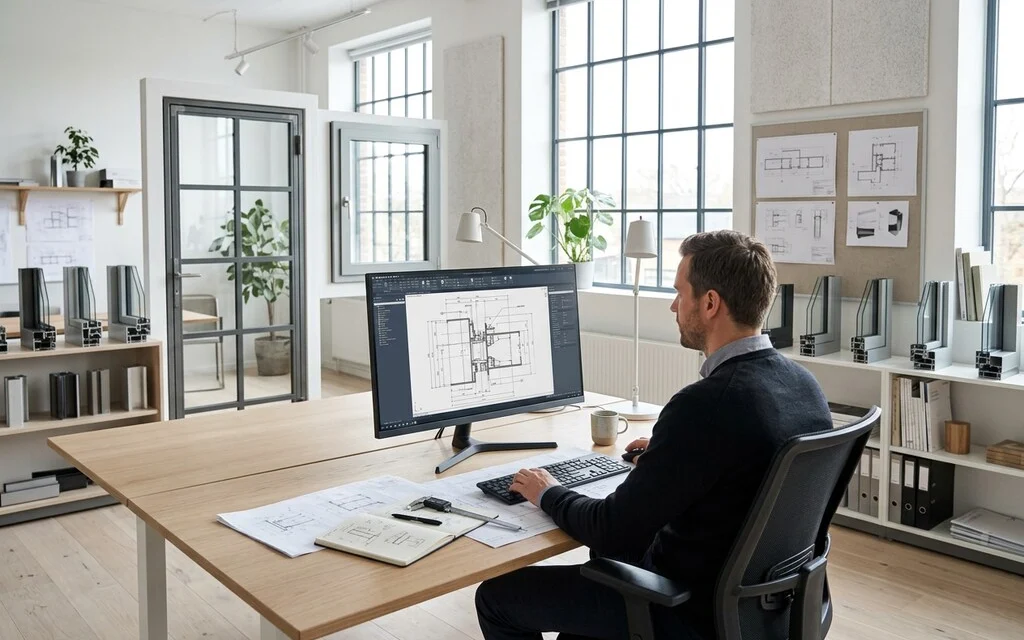
Engineer working on a steel door profile drawing, with steel profile samples on the shelves
Client
Stålprofil AB
Our role
Application modules, interfaces, database, geometry and OpenGL rendering, together with Stålprofil's in-house team
Users
Engineers and sales staff preparing quotes and orders, item register administrators and production planners
Integrations
KBK Production (stations, jobs and time), DXF and PDF output, price import from file
Location
Sweden
Project type
Windows desktop software
Period
2016–2023
Services
Custom Software Development
Technology
C++ · Windows desktop · OpenGL · DXF and PDF output
/ Challenge
N. 01

One steel door means dozens of profiles, fittings and rules.

Stålprofil makes steel doors, windows and facades for buildings with requirements for fire, smoke, burglary, bullet and blast protection. Each section has its own dimensions, profiles, glass, filling and hardware, and all of it has to be right in the quote, in the order and on the drawing that goes to production.

KBK had to be the one place where a section is drawn once, and the price, material list and working drawing come from it without retyping.

Draw it once

A door, window or facade is drawn with real profiles, and dimensions and properties stay with the section.

The right price

Material, hardware and supplier prices come from the same item register.

A drawing for the workshop

The working drawing with dimensions, hardware and production control comes from the same section.

Linked to production

Stations, flow and production documents are set up in KBK and used by KBK Production.

/ Workflow
N. 02

/ Roles
N. 03

/ Inside the product
N. 04

What KBK does.

Drawing sections

“What is this door?”

Tools for single and double doors, arched doors, sliding doors, windows, facades, metal doors and partitions. Each section keeps its dimensions, material, standard, security requirements (fire, smoke, burglary, bullet, blast), protection side and profile system.

Orders and projects

“Where is each order?”

Orders are organised by project and stage, with a project manager, dates, customer, finish and the customer's logo on documents.

Item register and prices

“What does it cost, and from whom?”

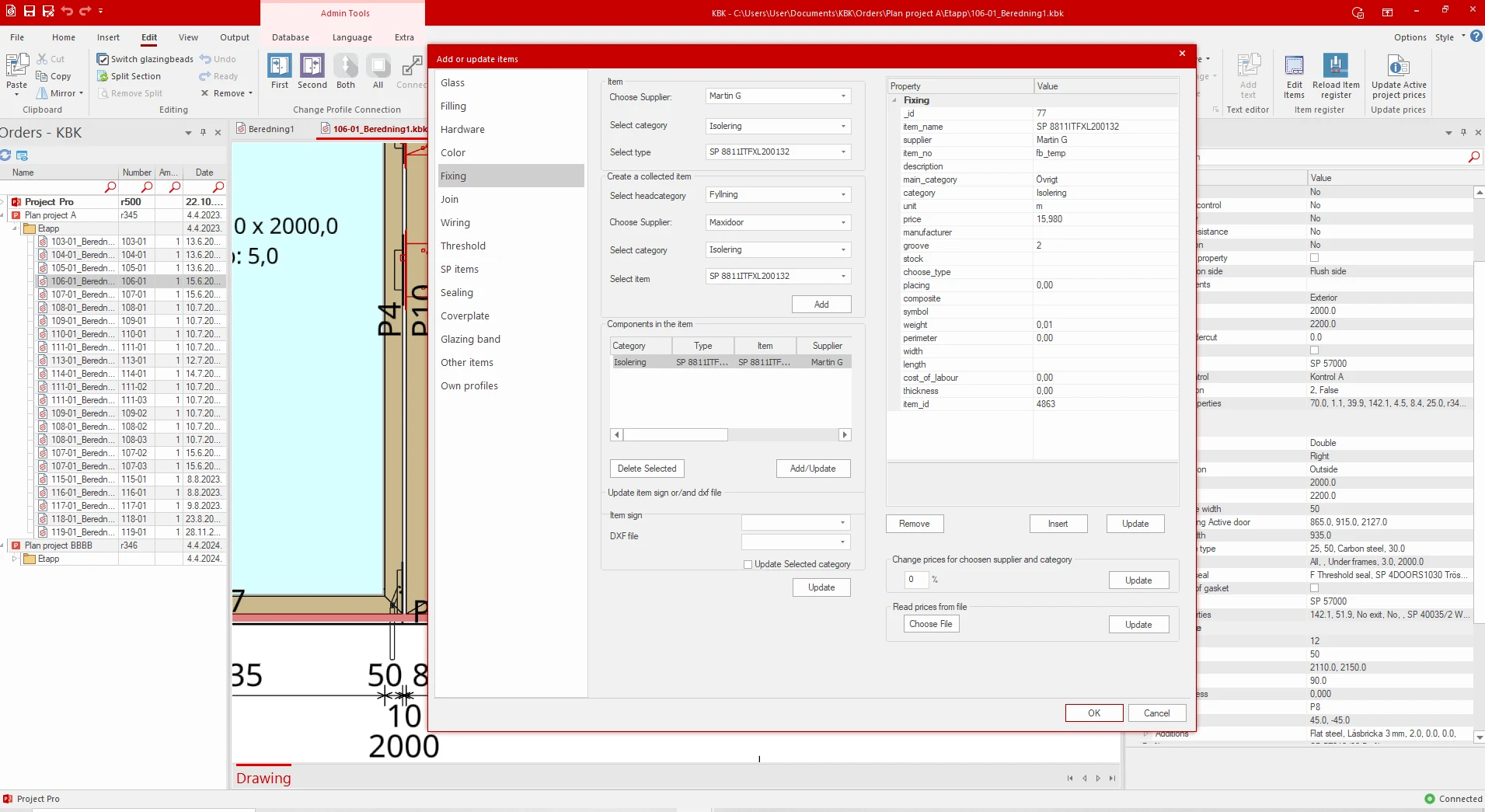
Glass, fillings, hardware, colours, fixings, seals, cover plates, thresholds and own profiles, by supplier and category. Items can be combined into collected items and given a DXF symbol, and prices change by percentage per supplier or are read from a file.

Material and working drawing

“What do we order, and what goes to the workshop?”

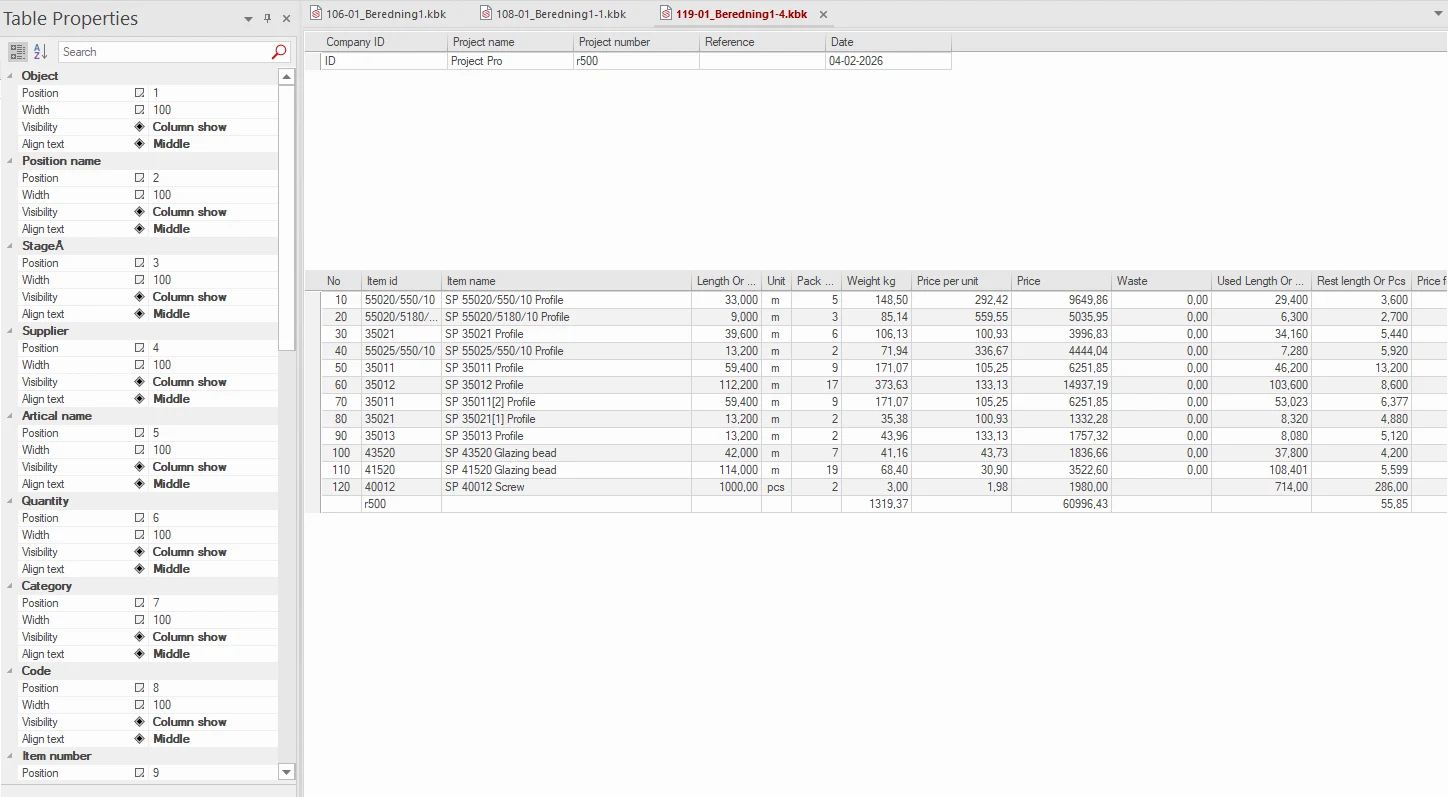
The material list calculates profile lengths, pieces, weight, price and remaining length. The working drawing shows the section with dimensions, glass, hardware list, production control table and company title block, exported as PDF or DXF.

Production setup

“Which stations does the job pass through?”

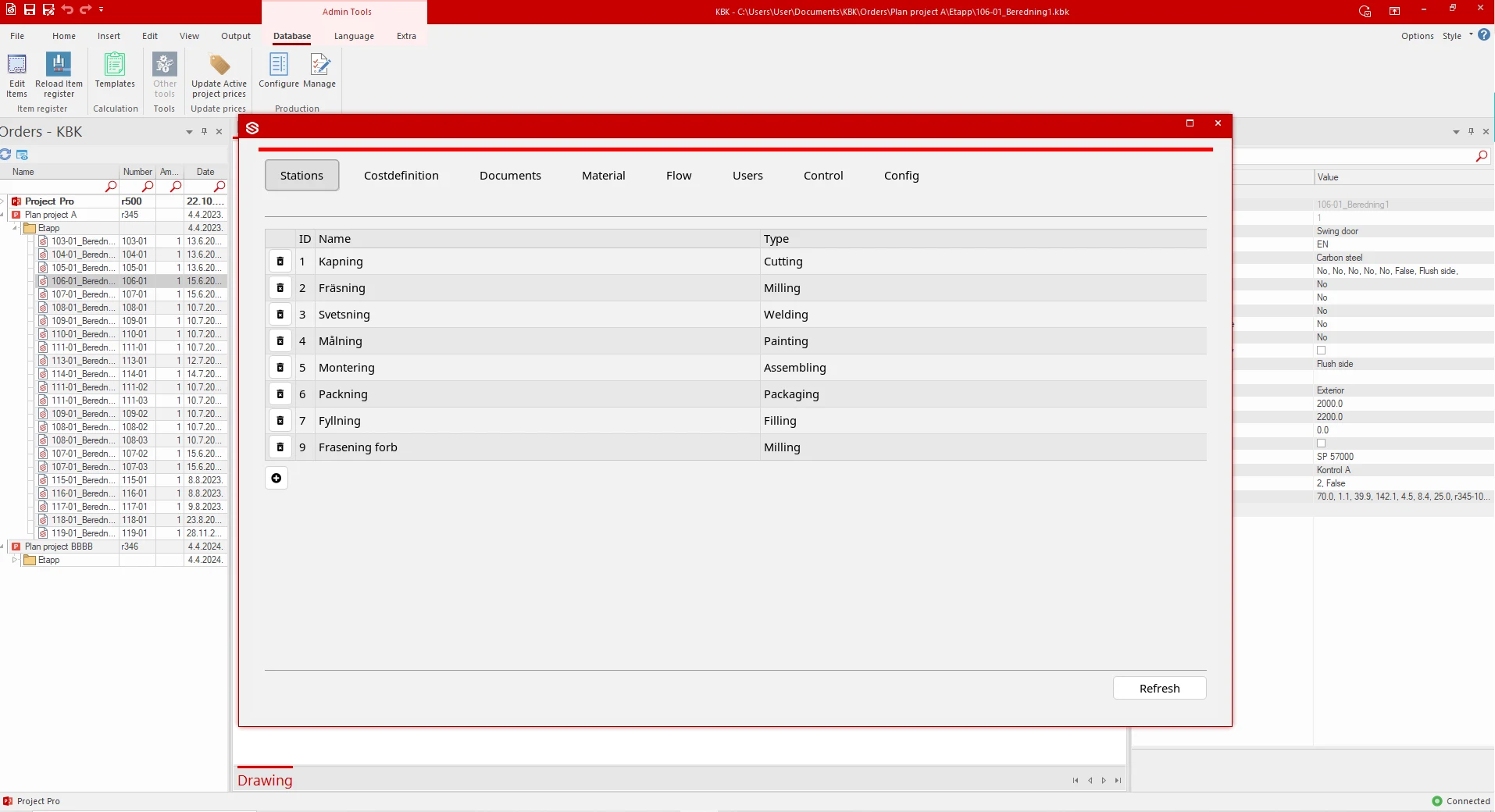
KBK defines the production stations (cutting, milling, welding, painting, assembly, packing, filling), costs, documents, flow and users that KBK Production then uses on the shop floor.

Production station setup in KBK: cutting, milling, welding, painting, assembly, packing and filling
Production stations set up in KBK, used by KBK Production on the shop-floor tablets.
/ Case study
N. 01

The business context

Industrial order preparation involves technical geometry, quotations, order information and the output used in later production work. These tasks require software that understands the company's products and preparation process.

The application

KBK supports quotations and orders, technical geometry, CAD-related workflows, DXF and PDF output, and QR or barcode-related functionality. The application uses a Windows C++ desktop environment with database-connected components.

Spot Software's contribution

Arnela Glavović started the collaboration in 2016, working with two developers from Stålprofil's in-house team. Another developer from Spot Software later joined the project. Together with the in-house team, Spot Software worked on application modules, interfaces, database connectivity, geometry and OpenGL-related tasks.

What this experience brings to new projects

Specialized software needs careful handling of domain rules, technical data and the steps users follow in daily work. This experience informs Spot Software's approach to industrial and business-specific applications.

“We have worked with Arnela for several years developing Stålprofil AB’s manufacturing and estimation software for doors, windows, and facades. Professional, dependable, and highly skilled!” — Stålprofil AB, Google review
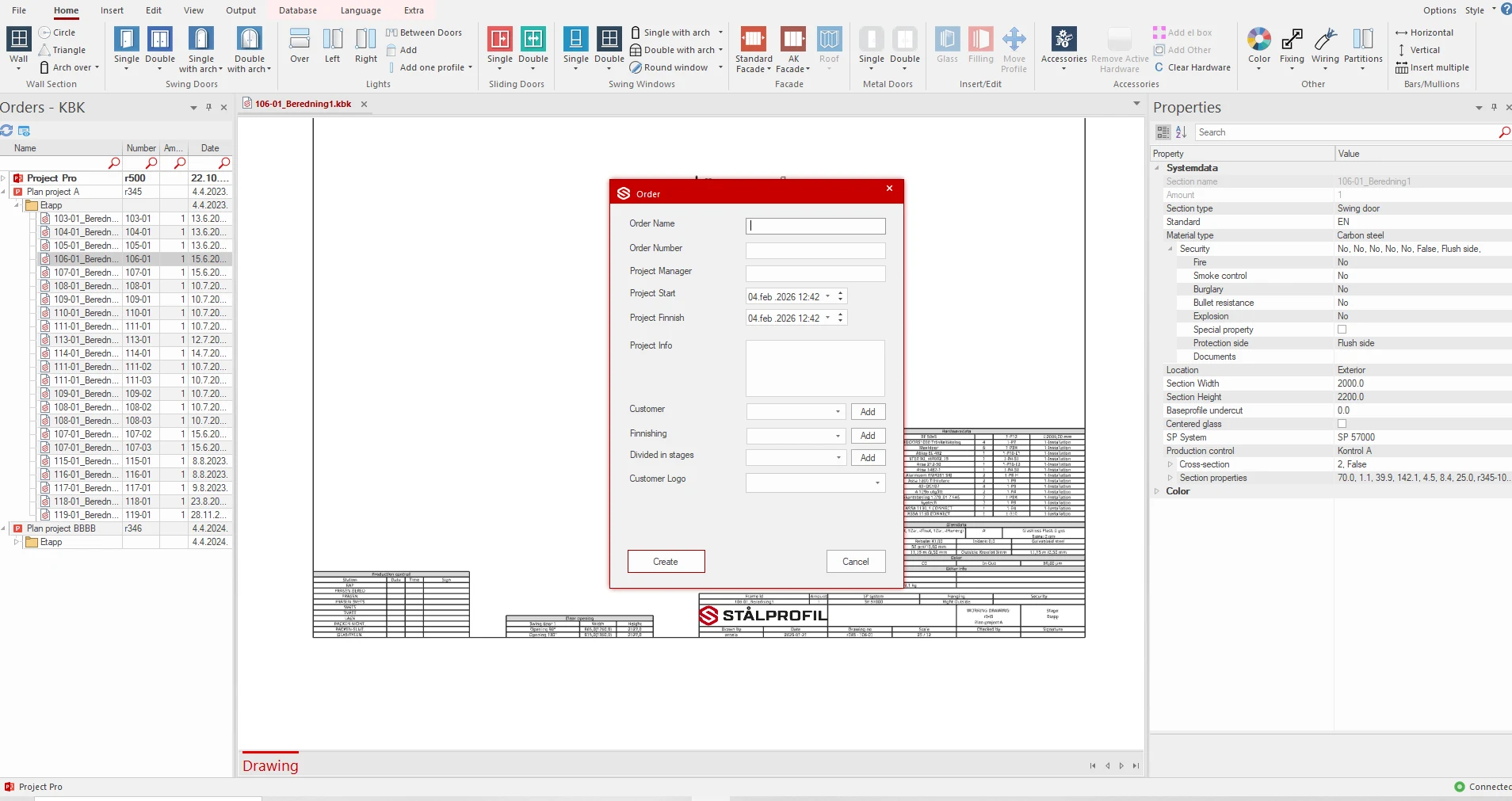
KBK main window: order tree, tools for doors, windows and facades, section properties and the new order dialog
Main window: orders by project and stage, tools for doors, windows and facades, and the properties of each section.
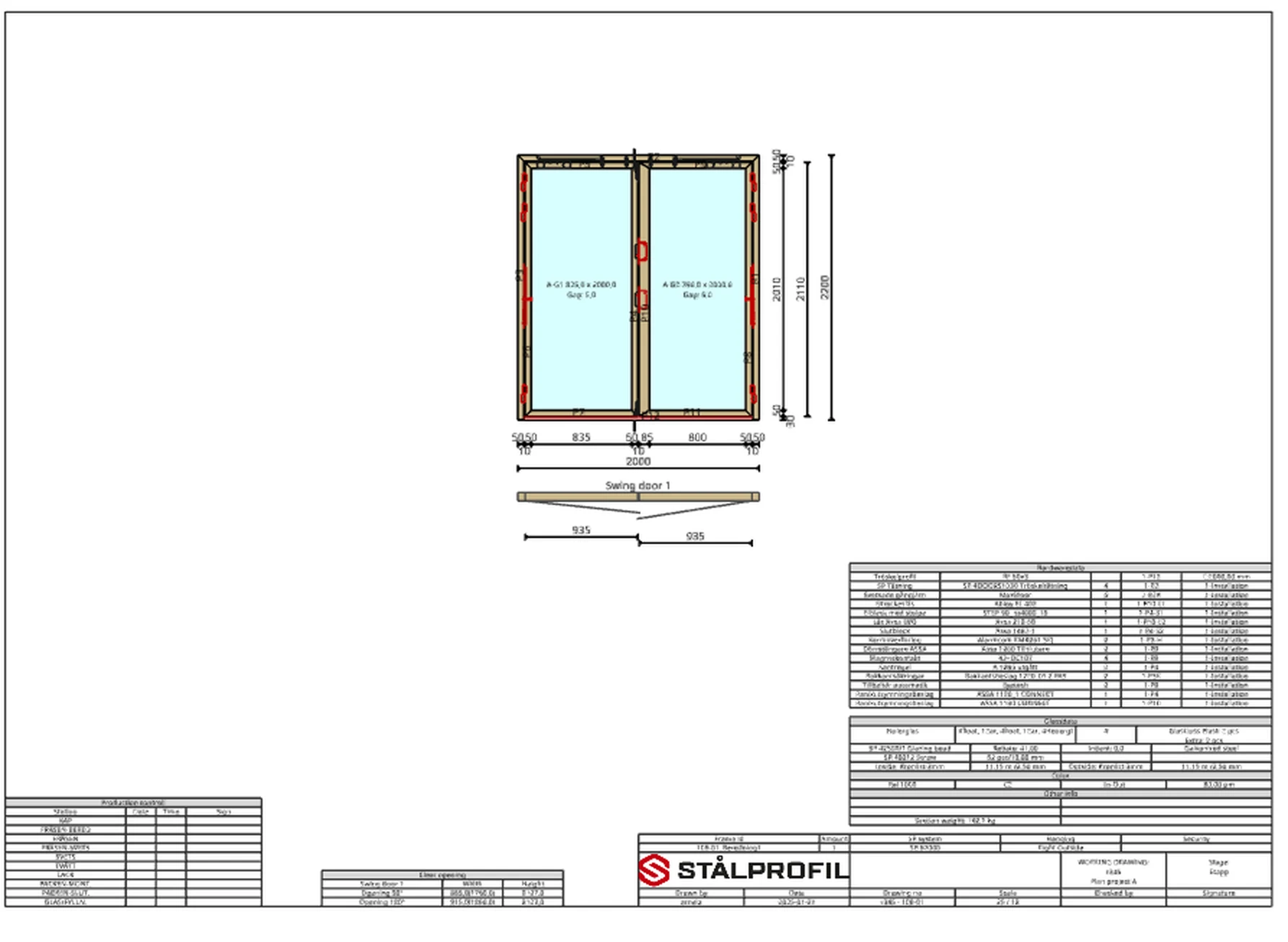
KBK working drawing of a double steel door with dimensions, hardware list and Stålprofil title block
The working drawing KBK produces for each section: dimensions, glass, hardware, production control and title block.
KBK item register with categories, suppliers, item properties and price updates
Item register: glass, fillings, hardware, seals and profiles by supplier, with price updates.
KBK material list with profiles, lengths, weight, prices and remaining length
Material list for a project: lengths, pieces, weight, prices and remaining profile length.
/ Key decisions
N. 05

/ In numbers
N. 06
/ Reflection
N. 07

What we take from this project.

In industrial software the hard part is not the screen but the rules: which profile goes with which fitting, what a fire rating requires and how that turns into a price and a drawing. Seven years alongside Stålprofil's in-house team taught us to understand those rules first and write code second.

/ Start a project
N. 02

Have a similar workflow? → Discuss your project

Tell us what your business does today and what you want to improve. We will help define the next step.