/ Case study
N. 01
Fieldwork is Spot Software's own product. Technicians record moisture readings, photos and equipment on a phone, even without signal, the office follows every job, and the insurer gets a signed, branded report. We built it after years of writing software for restoration firms, for every job that needs readings over several days: leaks, drying after a burst pipe or flood, and mould.
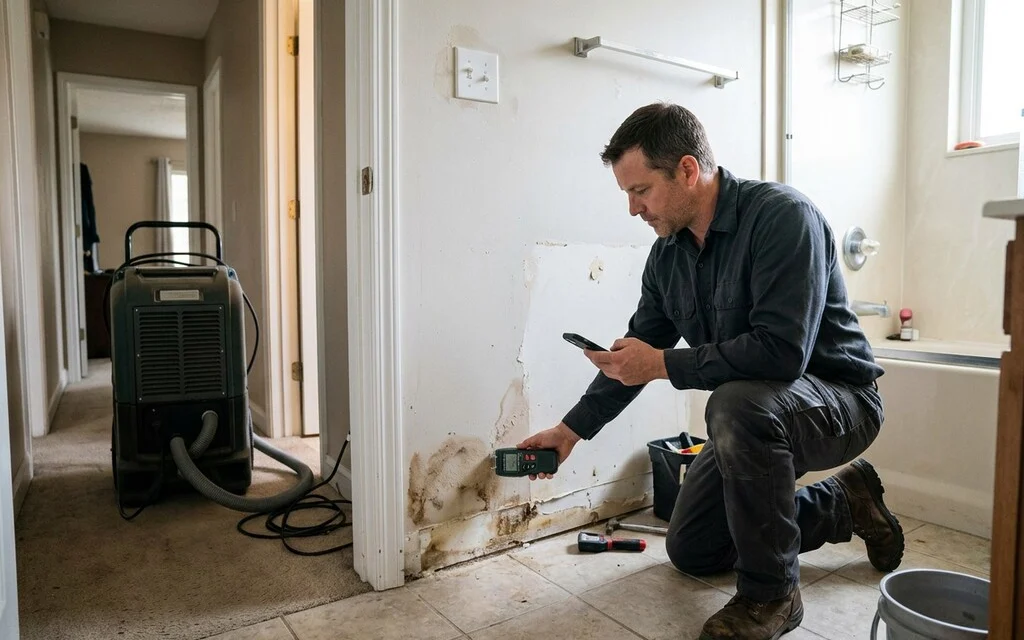
Whether a pipe burst, a flood came in or mould appeared on a wall, a restoration firm first finds the cause, places dehumidifiers and fans, then comes back every few days to measure each wall and floor until it reaches its target value. Most firms still do this on paper or in Excel: readings written in a wet basement, typed in again at the office, and turned into a report by hand at the end.
The insurer then asks for the readings, the air values, the power the machines used, photos and the client's signature. Every missing number is a delay in getting paid. We wanted one app where the reading taken on site is already the line in the final report.
Every reading is saved on the phone first and sent to the server when there is signal.
The signed PDF for the insurer is built from the readings, sketches, photos and equipment already in the app.
The same app runs the technician's phone, the office on a computer and a portal for the client.
Sign-up, a 30-day trial, team roles and monthly plans, so a firm can start without calling us.
The app hides what a role may not do, and the server enforces the same rules, so a modified app cannot get around them.
Runs the firm's account and decides who does what.
Plans the work and handles clients, quotes and invoices.
Measures, places equipment and documents the job on a phone.
A technician can correct a reading for 24 hours. After that only the office can, and the old value stays in the report.
Each room has a sketch with measuring points placed on it, a material and a target value. The technician goes point by point through the whole job with the previous and target value on screen, and a chart shows the moisture falling day by day. If a point stops drying, the job shows a warning.
Temperature and humidity outside, in the dry and the damaged area and at the dehumidifier outlet. The app calculates g/kg and dew point at once and shows how much moisture the dehumidifier is pulling from the air.
Every machine has a serial number, a day rate and a printed QR label scanned with the phone camera. Placing it on a job records the meter reading, so power use and rental cost land in the report.
The client signs on the screen, and Fieldwork creates a PDF with the firm's logo: summary, readings and corrections, room sketches, air values, equipment with power and rental, the job diary and photos. Readings, air and equipment also export as CSV for Excel.
On a computer the same app becomes the office: projects, clients and properties, the crew schedule, quotes sent as numbered PDF versions, invoices with payments and credit notes, e-invoices and DATEV export, materials and margin per project. Clients accept quotes and see reports and invoices in their own portal.
The assistant answers questions about jobs, clients, the schedule, equipment, quotes, invoices and hours, with the rights of the person asking, and drafts emails to copy. It stays off until the owner switches it on.
Basements have no signal. Every job lives in a database on the device and syncs every few minutes, so a technician never waits for the network.
Trade-off Sync conflicts need a rule; the later change wins, and every reading correction keeps its history.
Roles decide who may close a job, delete a photo or change an old reading. The server checks the same rules, so a modified app cannot get around them.
Trade-off Every new feature needs server checks and tests, not only screens.
Flutter runs the field app on Android and iOS and the office and client portal on the web, from the same code and data model.
Trade-off The office screens had to be designed for a desktop on their own, not stretched from the phone.
Firms in this market usually get a quote. Fieldwork shows its prices and gives 30 days free, because one drying job takes one to three weeks and a firm needs a whole job to judge the app.
apps from one codebase: field, office and client portal
languages: Bosnian, German and English
roles with rights checked on the server
days free trial, no card needed
Fieldwork grew out of the restoration software we build for clients. Making it a product meant solving what a single client never asks for: sign-up, billing, three languages, server-side security and a report that works for any firm's logo.
Next are the first pilot firms, a choice of damage type at the start of each job (burst pipe, flood or storm, leak, mould), a measuring log that follows the German VdS 3150 guideline, and later a fire damage form.
Fieldwork is our own product and is in pilot preparation. The firms, people and addresses in the screenshots are demo data.
Tell us what your business does today and what you want to improve. We will help define the next step.